

Sign up and complete your profile
The media could not be loaded
Step 1
Sign up and complete your profile
Create your account, then complete your salon details and the required documents and send them for review.
For providers
A practical walkthrough of everything after you sign up: your profile, services and products, working hours and your team.
A short walkthrough of every step after you sign up, from completing your profile to your first booking.
Sign up and complete your profile
The media could not be loaded
Step 1
Create your account, then complete your salon details and the required documents and send them for review.
Add your services
The media could not be loaded
Step 2
Add your services with their price, duration and category so customers see them in the app.
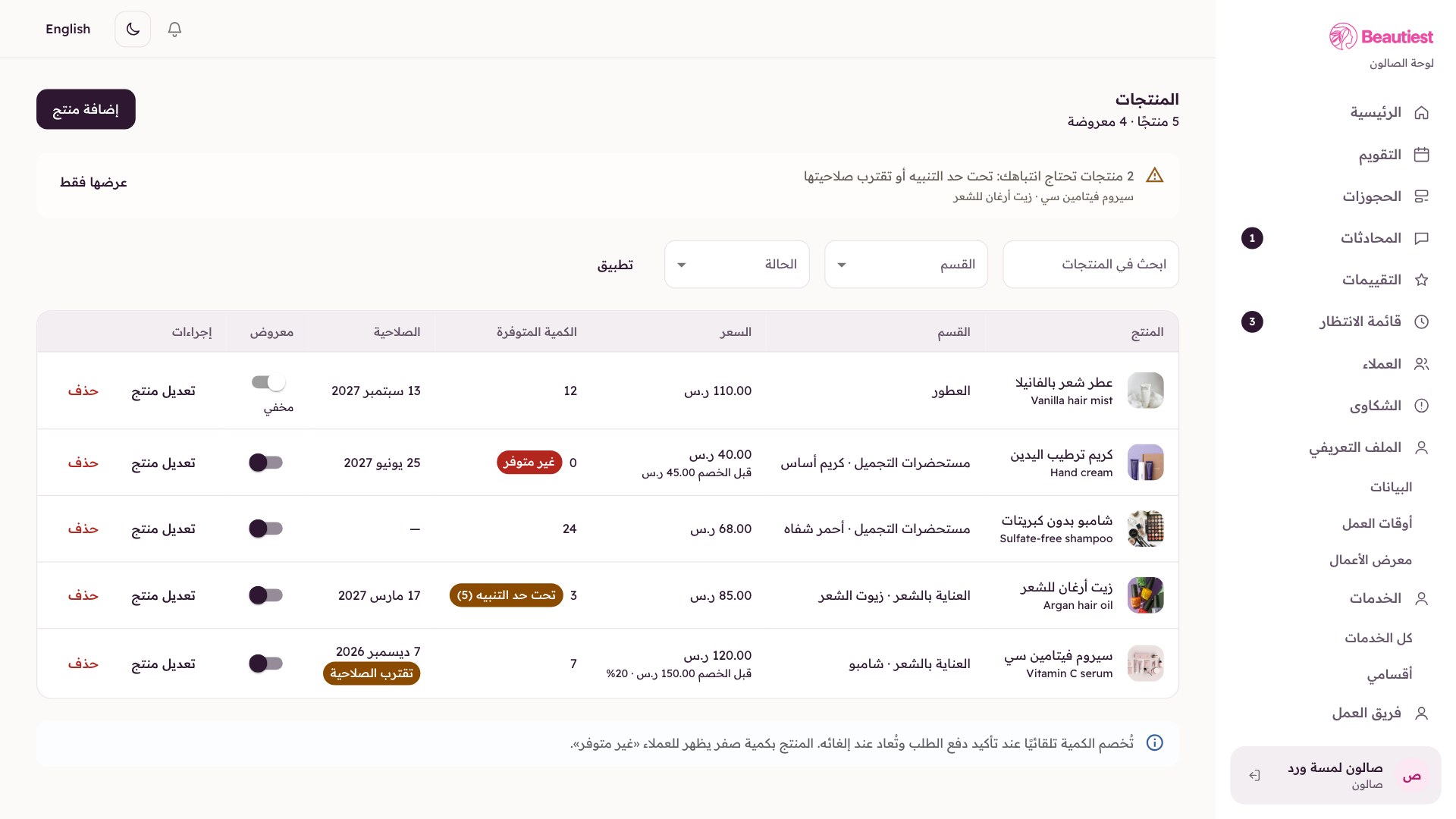
Add your products
The media could not be loaded
Step 3
List your products with photos, prices and the quantities available for sale.
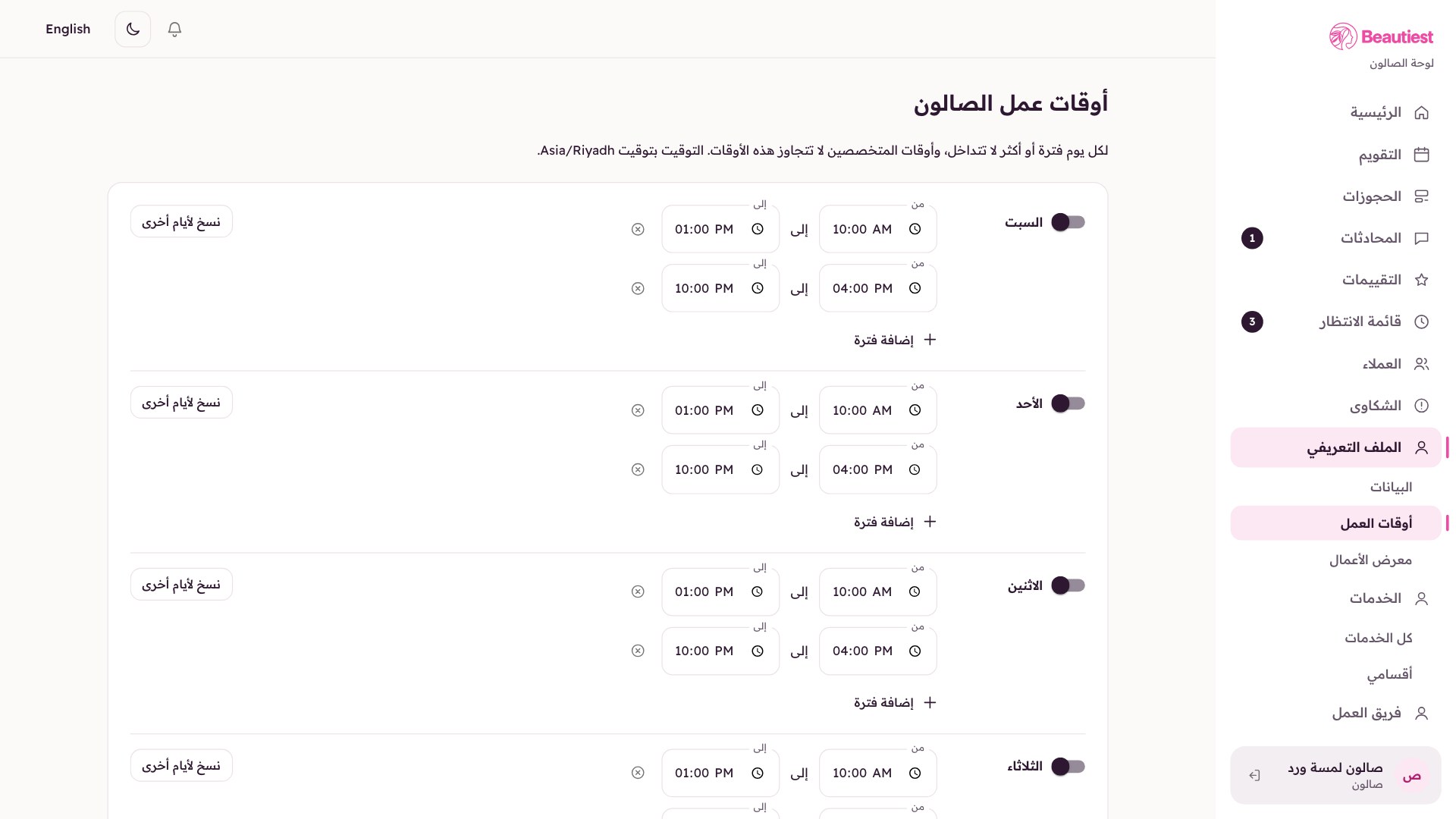
Set your working hours
The media could not be loaded
Step 4
Set your working days, hours and breaks so the available times are accurate.
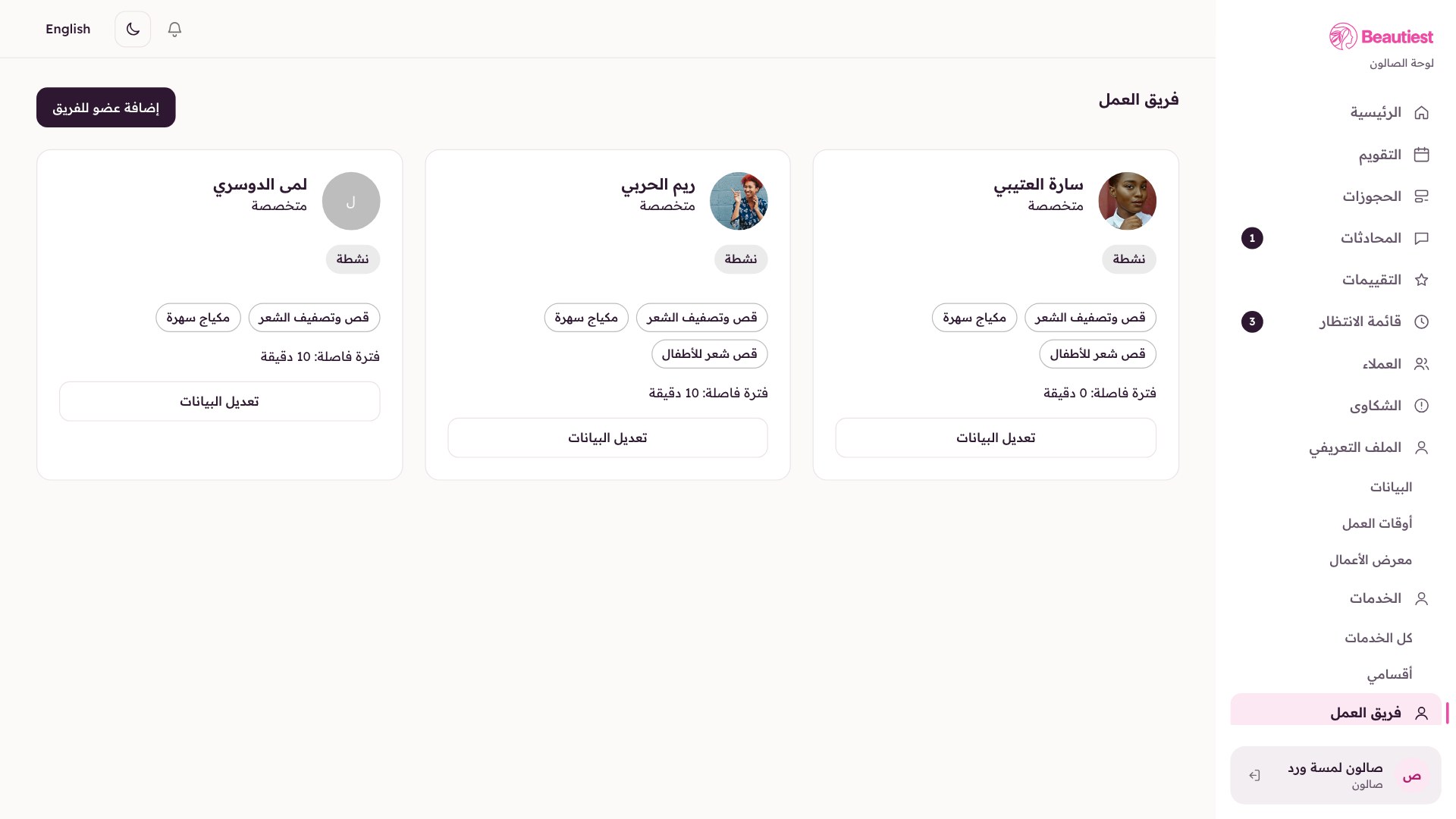
Add your team (specialists)
The media could not be loaded
Step 5
Add your specialists and set the services and working hours of each one.
For salons and freelance providers: prepaid bookings, one calendar for the whole team, and clear revenue and payouts.